Interface as Instruction
Autonomous Medical Robot Interface Design.
Company
TGR
Role
Lead Designer
Lead product designer. Ran discovery with Tech Ops and the CEO, mapped edge cases with Engineering and Tech Ops, set the project timeline, and made the key design decisions. Worked with a junior designer on execution, with Development on the build, and with leadership on the behavioral strategy behind the redesign.
Product Design
UX/UI
Information Architecture
Operator Experience
TGR's A1 robot can autonomously disinfect an entire hospital ward with UV-C: navigating rooms, hitting pre-mapped points, logging every run. Most operators weren't using it that way. The redesign's job was to make the right behavior the default.
Full UX and UI from discovery to production-ready specs, delivered in six weeks with a two-person design team. The redesign has since shipped to customers.
The Legacy App
An engineering team in China built the original app and machine-translated it into English. Popups reading "Are you sure to switch language?" and "The scanned map will be lost if exist" constantly eroded operator confidence. The area filter was an unlabeled dropdown in the corner of the room list, and user flows were convoluted, with multiple buttons that did the same thing. The visual language read like a consumer wellness app: soft teal headers, rounded cards. It communicated none of the precision a clinical environment requires.

Discovery & IA
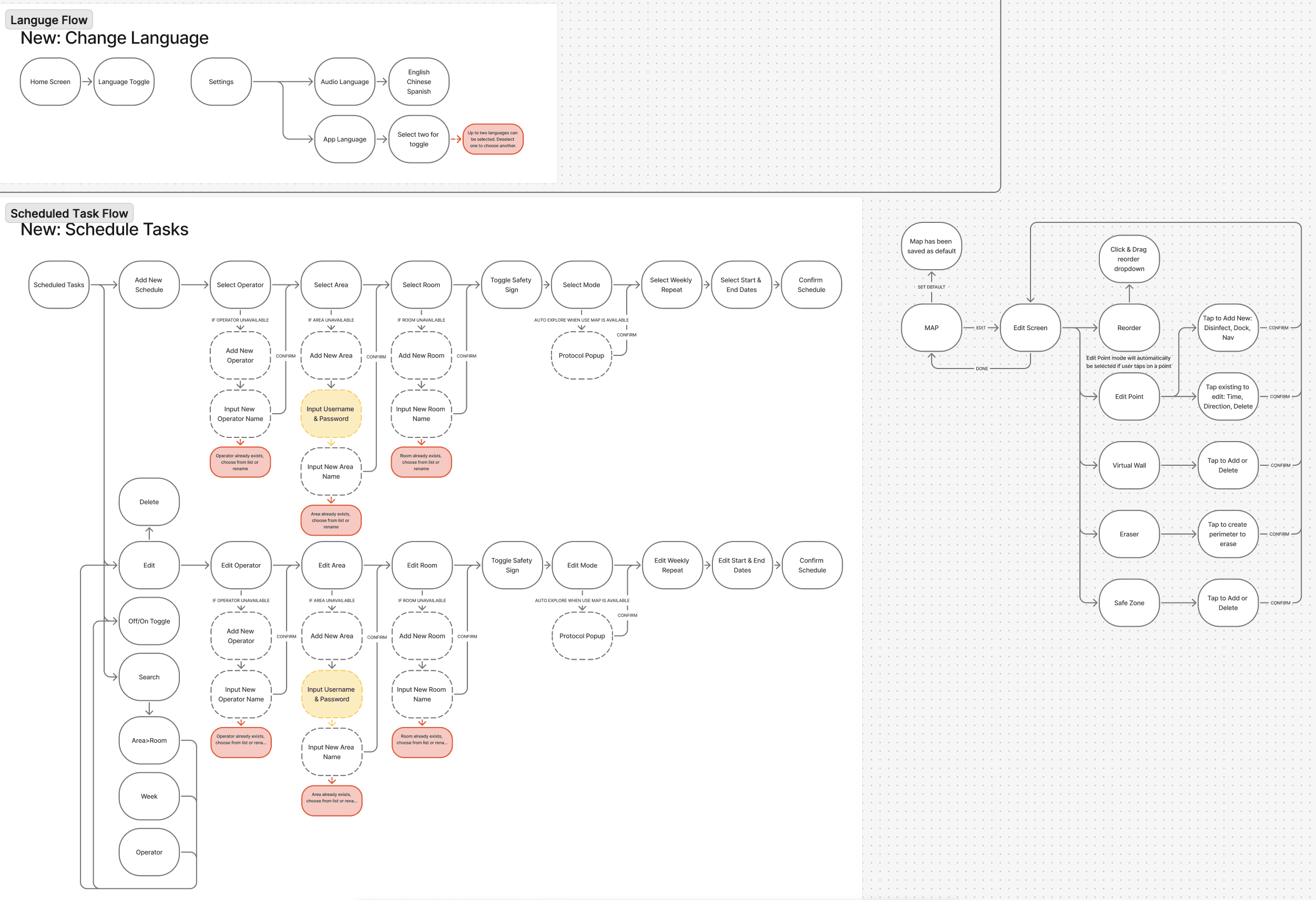
Discovery started with a full audit of every screen and flow. From there, a clustered pain point map was built from conversations with Tech Ops and we defined personas grounded in actual EVS operator behavior. Before any UI design began, we mapped new information architecture end to end for every major flow, including error states and recovery paths.


Task Creation & The Core Decision
Establish Use Map as the default, with no other modes shown. Operators are guided through each task by a subtle stroke around the next available action. Switching to On-the-Spot or Auto-Explore means intentionally tapping a small button labeled "Don't Use Map." That triggers a confirmation popup stating clearly that the operator is knowingly deviating from standard protocol. Tech Ops, the CEO, and I developed this together. They wanted the interface itself to carry accountability for operator behavior.


Room Management & Map Editing
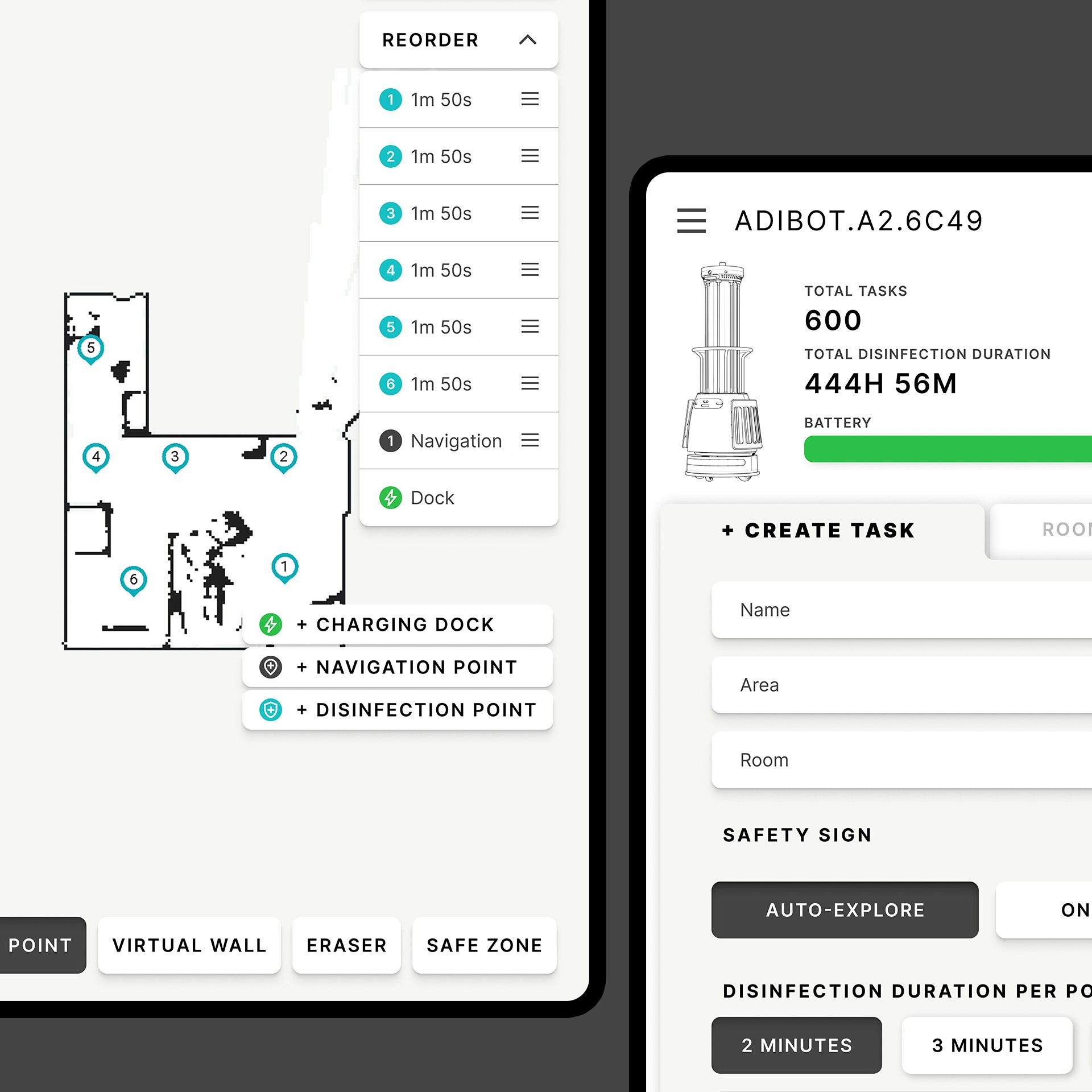
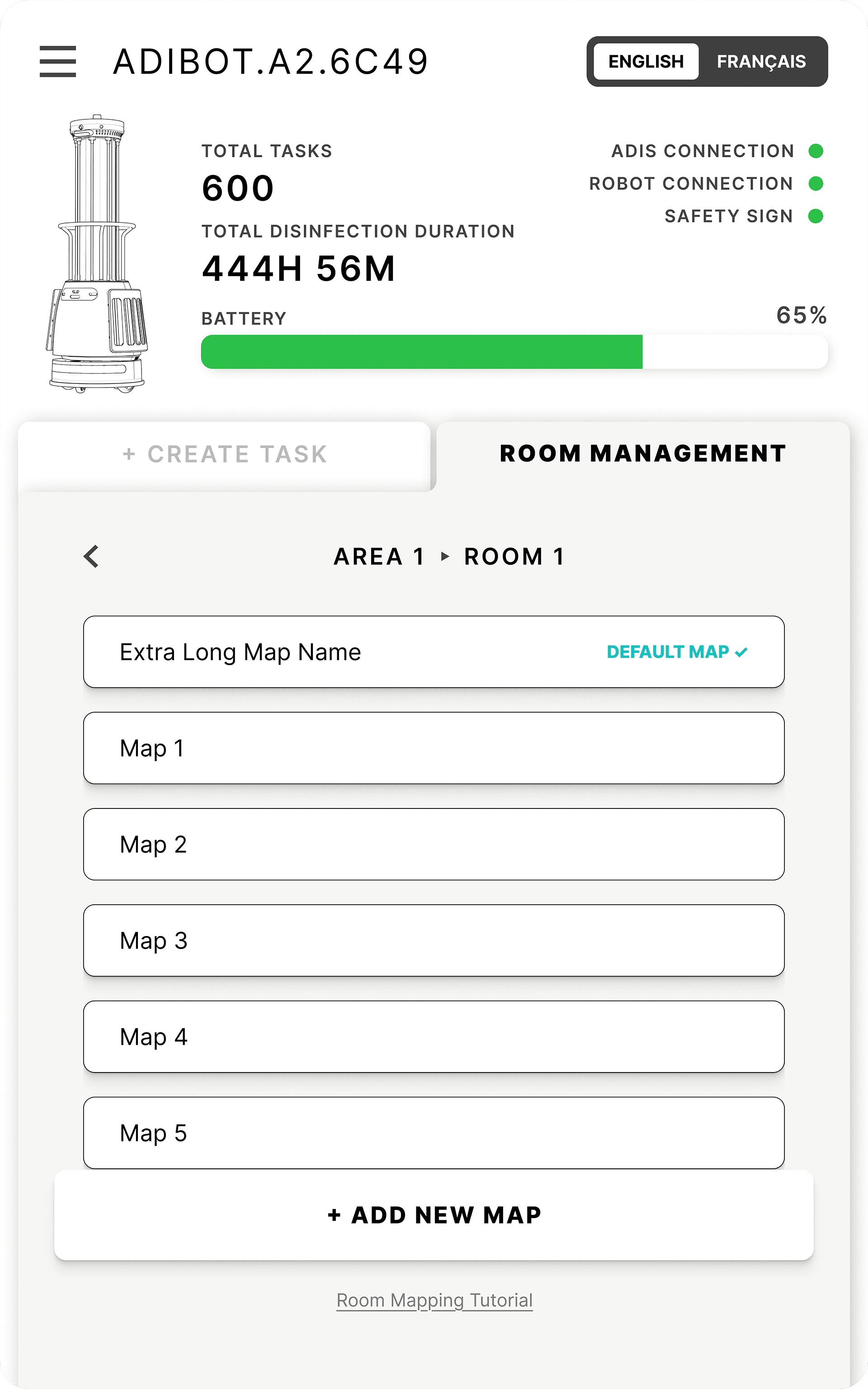
Breadcrumb navigation (Area ▸ Room) appears in the header of every relevant screen, replacing the unlabeled dropdown that caused constant misfiled rooms. We rebuilt map editing around a persistent bottom toolbar (Edit Point, Virtual Wall, Eraser, Safe Zone) and a drag-and-drop panel for sequencing disinfection points. An experience operators could learn once and rely on.


Scheduling & Monitoring
We turned Scheduled Tasks into a proper management view, filterable by area, week, and operator, with full task configuration visible at a glance. The live task view added a timestamped event log, giving EVS supervisors an auditable record of every run. A new missed-spots recovery flow made incomplete runs documented and recoverable. No more silent failures.


Visual System
We replaced the consumer softness of the original with a clinical, high-contrast system aligned with TGR brand standards. All-caps labels and UI chrome, always-visible connection status dots, and functional color: teal for primary actions, amber for edit states, red for destructive actions, green for confirmations. Actions appear as you go to prevent cognitive overload. We rewrote all copy in plain English and eliminated every translation error.
Before


After


Challenge
TGR's disinfection robot worked. The app was the problem: it made the wrong behavior easier than the right one. Operators bypassed autonomous disinfection entirely, using a state-of-the-art robot as a stationary UV-C lamp.
Solution
Establish a default flow where the right behavior is never in question. Make opting out feel like a deliberate, accountable deviation from standard protocol. Rebuild the hierarchy, language, and visual system to support that main function.